Requesting Samples Your Pre-Purchase Checklist


You risk major financial losses before a large purchase order. Many companies lose 15-20% of sales revenue from inadequate supplier performance and resulting quality issues. Requesting samples is a crucial step for quality control. You can test your prototype across five key areas to confirm its value.
- Material Quality
- Structural Integrity
- Dimensional Accuracy
- Aesthetic Finish
- In-Store Performance
Tip: Use this checklist to guide your evaluation. It helps you avoid expensive procurement mistakes and protect your brand's reputation.
Initial Checks After Requesting Samples
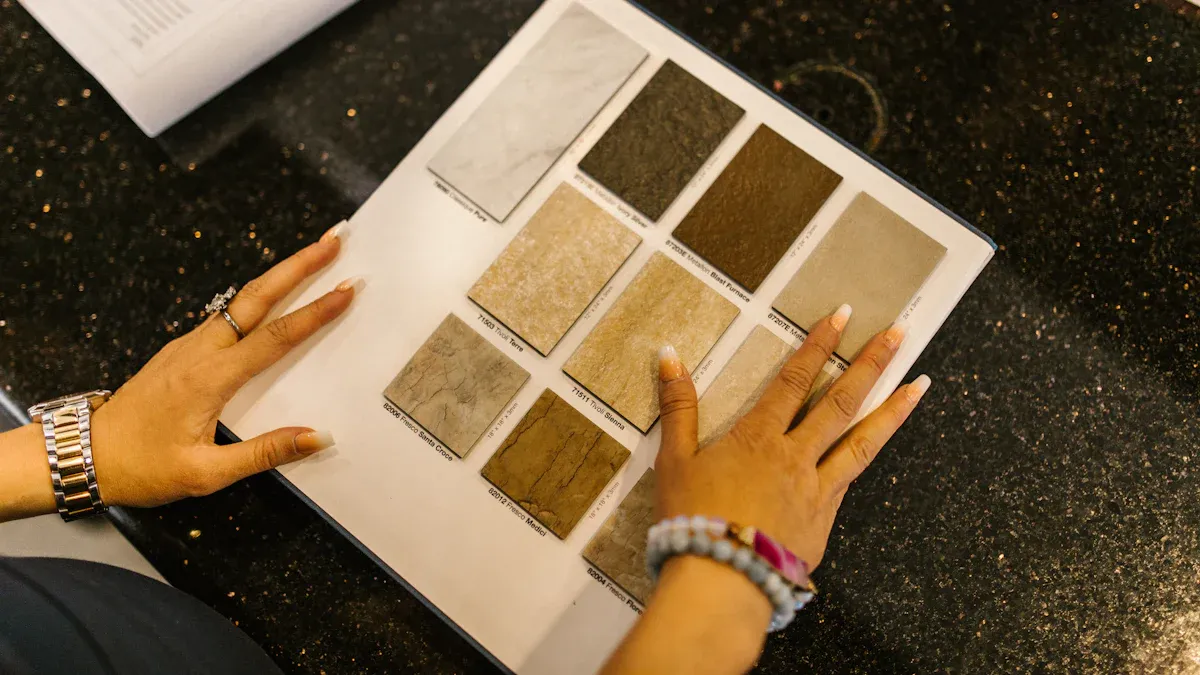
Once your sample arrives, you can begin your physical evaluation. These initial checks focus on the raw material's quality and resilience. Performing these tests after requesting samples helps you catch fundamental flaws before you assess the display's structure or design.
Verify Acrylic Grade & Thickness
First, confirm you received the correct material. Your supplier's specification sheet should list the acrylic grade and thickness. For point-of-purchase (POP) displays, you will often see durable options like:
- Sign Grade Acrylic Sheet: This material is strong, lightweight, and offers excellent impact resistance for a busy retail environment.
Use digital calipers, a tool for precise measurement, to check the thickness. Measure several spots on the sample to ensure consistency. A significant difference from the specified thickness can affect the display's strength and stability.
Test Scratch & Impact Resistance
Your display will face bumps and contact in a store. Simulate this with simple, non-destructive tests. Gently run a fingernail across an inconspicuous area to check for easy scratching. Next, lightly tap the surface with a smooth, blunt object, like the plastic end of a screwdriver. The material should resist minor impacts without showing marks or stress fractures.
Check UV Clarity & Yellowing
Exposure to sunlight or even harsh indoor lighting can cause some plastics to yellow over time. Direct UV radiation breaks down the material, reducing its clarity and strength. High-quality acrylic contains UV stabilizers to prevent this. Ask your supplier for data on UV resistance.
Note: Professional suppliers test materials using industry benchmarks. You can check their specifications for the following ASTM standards to verify performance claims.
| Measurement Type | ASTM Standard |
|---|---|
| UV Transmittance | ASTM D1003 |
| Yellowness Index | ASTM D1925 |
Test Temperature Resilience
Retail environments have fluctuating temperatures. A display near a sunny window, a hot lamp, or a refrigerated case must withstand these changes. Test your sample by placing it under a warm lamp (not touching) for an hour. Then, place it in a refrigerator for another hour. Check for any signs of warping, clouding, or discoloration. Standard cell cast acrylic should handle service temperatures up to 80°C (176°F) without deforming. Requesting samples for this test is vital for displays used near heat sources.
Structural Integrity & Assembly
A display's material is only one part of its quality. You must now test how well the sample was constructed. This evaluation focuses on the display's stability and the strength of its connections. A poorly assembled unit can fail in a store, posing a safety risk and damaging your products.
Assess Stability & Load Capacity
First, test the sample's balance. Place the display on a flat, level surface. Gently push on its sides and corners. A well-designed display should feel solid and resist wobbling or tipping over easily. Any instability is a major red flag.
Next, you need to confirm the display can handle its intended weight. This test ensures the shelves or holders will not bend or break.
- Place the actual products the display will hold onto the sample.
- Fill the display to its maximum designed capacity.
- Leave the products on the display for at least 24 hours.
- Afterward, check for any signs of stress, such as sagging shelves, bending components, or whitening at the joints.
A display that cannot support its products is not fit for use.
Examine Joints & Seams
The joints are where different pieces of acrylic connect. In acrylic fabrication, this process is a form of chemical welding, not simple gluing. A solvent adhesive melts the surfaces of the acrylic, molecularly bonding them into a single, strong piece. A high-quality bond is essential for the display's overall durability.
Tip: A perfect joint is crystal clear and nearly invisible. Look closely at every seam and connection point. You should not see any bubbles, fogginess, or cracks. These flaws indicate a weak bond that could fail under pressure.
Run your finger along the seams. They should feel smooth and perfectly aligned. Any roughness or misalignment points to poor craftsmanship. Strong, clean joints show that your supplier pays attention to detail and quality.
Dimensional Accuracy & Product Fit
An attractive, sturdy display is useless if it does not fit your products or your retail space. This step checks if the sample matches your technical drawings. It also tests how well customers can interact with your products.
Verify Overall Dimensions
First, you need to check the sample's measurements against your design specifications. Use a tape measure to confirm the height, width, and depth. These basic dimensions determine if the unit will fit in its designated retail location.
Precision is also key, especially for displays with multiple components. Professional fabricators work within very tight tolerances. Your supplier should be able to achieve high levels of accuracy.
- Repeatability: ±0.005mm for precise, identical cuts.
- Fixturing Elements: ±0.1mm for parts that hold products.
- Consistent Spacing: ±0.2mm across the entire structure.
For complex or curved designs, suppliers use advanced tools like portable optical CMMs. These devices can take 3D measurements with an accuracy of 0.025 mm (0.0009 in), ensuring every angle and curve is perfect. Significant deviations from the specified dimensions are a clear sign of poor quality control.
Test Product Fit & Accessibility
A display must hold your products securely and present them effectively. Place your actual products into the sample. Do they fit snugly without being too tight or too loose? Can you stock the display easily?
Next, think like a customer. Good design considers human factors and ergonomics to create a positive shopping experience. The display should be intuitive and easy to use.
User-Centered Design: A great display is designed for the end-user. It should allow shoppers to see, reach, and remove products comfortably. An awkward or difficult interaction can discourage a sale.
Check for physical ergonomics. Can a customer of average height easily grab a product? Is the product's weight supported well, making it feel safe to handle? Also, consider cognitive ergonomics. The layout should be simple and logical, guiding the customer's attention without causing confusion. A display that is easy to shop from is a display that sells.
Finish, Safety & Branding
The final details of a display often determine its professional quality. You should now inspect the sample’s finish, safety features, and branding application. These elements directly impact the customer's perception of your product and brand.
Inspect Edge Polish & Safety
First, examine the edges of the acrylic. They should be smooth and clear, not sharp or rough. A polished edge looks premium and prevents injuries. Suppliers use different methods to finish acrylic edges.
Tip: Ask your supplier which method they used. Each technique creates a different result and is suited for specific designs.
| Feature | Flame Polishing | Buffing | Laser Cutting |
|---|---|---|---|
| Process | Uses a torch to melt and smooth | Uses a wheel with compound to abrade | Uses a laser to cut and polish |
| Appearance | Glossy, sharp, clean finish | Clear, glossy, smooth finish | Polished, precise edges |
| Best For | Straight edges | General polishing | Intricate shapes, detailed designs |
Beyond aesthetics, you must check for safety. Retail fixtures should meet safety standards like UL 970, which covers hazards like sharp corners. Look for these safety features on your sample:
- Rounded Edges: The manufacturer should round off edges to reduce the risk of cuts.
- Edge Protectors: Some displays use rubber or plastic protectors for extra cushioning.
- Corner Guards: These absorb impact in high-traffic areas to prevent injuries.
Evaluate Graphic & Logo Application
Your branding must be crisp and durable. Examine any printed logos or graphics on the sample. The colors should be vibrant, and the lines should be sharp. Gently scratch a small, hidden area to test if the print flakes off easily. A quality application will resist minor abrasion.
Suppliers typically use one of two main methods for printing on acrylic.
| Feature | UV Direct Printing | Screen Printing |
|---|---|---|
| Quality | Vibrant, durable, high detail | Good for simple designs |
| Volume/Cost | Good for quick turnarounds | Affordable for very high volumes |
| Environmental | Most environmentally friendly | Not specified |
UV printing is often preferred for its quality and speed. Check your sample to ensure the chosen method delivers the professional look your brand requires.
Leveraging Your Prototype for In-Store Trials

Your sample is more than just a physical object; it is a functional prototype. You can use it for real-world testing before committing to a full production run. This trial phase provides valuable data on how the display performs in a live retail setting. It is your best chance to measure its true effectiveness.
Conduct a Practical Use Test
First, you should test the display's practical use. Place the prototype in a test store or a mock retail environment. Observe how your staff interacts with it. Can they restock products quickly and easily? Does the display withstand the daily activities of a busy store? This test reveals any design flaws that might frustrate employees or slow down operations.
You also get to see how real customers engage with the display. Watch their behavior. Do they notice the display? Do they stop to look at the products? A successful design should attract attention and make shopping feel effortless.
Perform A/B Testing
A/B testing is a powerful method to measure your new display's performance. You can compare your new prototype (Test A) against your current display or a different design (Test B). This direct comparison helps you prove the new design’s value with concrete data. You can use techniques like test/control store splits, where you place the new display in one store and keep the old one in a similar store to compare results.
Tip: Track key metrics to determine which display performs better. Pairing exposure data with purchase data will show you the true impact of your design.
You can measure several variables to see which display wins:
- Sales Lift: Does the new display increase product sales?
- Customer Dwell Time: Do shoppers spend more time looking at the new display?
- Conversion Rates: Does the display lead to more purchases?
- Shopper Interaction: Are more people touching or picking up products?
Gathering this information gives you the data-backed confidence to approve the design or request specific improvements.
This checklist transforms your sample from a simple object into a powerful risk-mitigation tool. The process of requesting samples becomes a strategic step. A prototype that passes these physical, functional, and in-store tests gives you data-backed confidence. You can now approve a major purchase order. Your decision after requesting samples is based on solid proof.
Use your findings to move forward. If the sample fails, give your supplier clear feedback for revisions. If it passes, you can proceed with your full order confidently. ✅
FAQ
What should I do if a sample fails a test?
You should document every failure. Take clear photos and write detailed notes about the issues you find. Send this evidence to your supplier. This information gives them specific feedback to make corrections for the next prototype. Clear communication is key to getting the product right.
How long should I test the sample?
You should plan for at least one week of testing. This gives you enough time to perform all the checks in this guide. You can complete the physical tests in a day. The load capacity and in-store trials need several days for accurate results.
Can I request more than one sample?
Yes, you can request multiple samples. This is a great idea if you want to compare different designs or materials. It is also necessary for A/B testing, where you compare a new display against an old one in a real store environment.
Which test is the most important?
All tests are important for a full evaluation. However, you must prioritize structural integrity.
Safety First: The stability and load capacity tests are critical. A display that tips over or breaks can damage products and create a safety hazard in the store. ✅